LabelForge Get LabelForge
ATTENTIONPrintable sellers on Etsy and other shops, candle and soap makers, and anyone who needs a full, matching set of labels

Stop building label sets one label at a time…

Introducing the Label Maker That Turns One Simple List Into a Matching, Print-Ready Label Set on Common Sticker Sheets

Every label sized the same way, checked before export, with a printer alignment page and PDF + PNG files you can print or sell

Paste a list of spices, jars, scents or names. Pick a label type, a style and a sticker sheet. LabelForge lays out the whole set, fits every name, checks each label for print problems and exports a PDF at the exact sheet size, plus PNGs.

STEP 1Choose the sheet
STEP 2Paste your list
STEP 3Pick a style
STEP 4Check and export
Get LabelForge for $17 » One-time payment · 5 bonuses included · 30-day money-back guarantee
What you can make

Real label sets, made in LabelForge

Every sheet below is a real export from the app, made from a typed list with fictional brand names. Click any sheet to see it full size.

Vintage pantry with library images · 2 × 4 in · 10 per sheet · US Letter
Botanical spices with Latin names · 2 in round · 12 per sheet · US Letter · close-up
Botanical handmade soap · 2.5 in round · 9 per sheet · US Letter · close-up
Candle scents with a fictional logo and safety text · 2 in round · 12 per sheet · US Letter
Christmas gift tags with holly, stars and ornaments · 2 in round · 12 per sheet · US Letter · close-up
Coffee & tea bar · 2.5 in round · 9 per sheet · US Letter · close-up
Farmhouse pantry · 2 × 4 in · 10 per sheet · US Letter · close-up
Pastel kids' names, 30 per sheet · 1 × 2 5/8 in · 30 per sheet · US Letter
Halloween treat jars with pumpkins and bats · 2.5 in round · 9 per sheet · US Letter · close-up
Christmas gift tags · 2 in round · 12 per sheet · US Letter · close-up
Minimal spice jars, 40 names · 1.5 in round · 20 per sheet · US Letter
Valentine's Day tags with hearts and bows · 2 × 3 1/3 in oval · 8 per sheet · US Letter · close-up
Herbal tea tins with your own images · 51 mm round · 15 per sheet · A4 · close-up
Farmhouse laundry room · 3 1/3 × 4 in · 6 per sheet · US Letter
Easter treat labels with eggs, bunnies and tulips · 2 in round · 12 per sheet · US Letter · close-up
Apothecary bath salts · 2 × 3 1/3 in oval · 8 per sheet · US Letter · close-up
Botanical spices with Latin names · 2 in round · 12 per sheet · US Letter
Kids' cubby labels with friendly animals · 2 × 4 in · 10 per sheet · US Letter · close-up
Boho spice blends · 2 in round · 12 per sheet · US Letter · close-up
Farmhouse spice jars · 40 mm round · 24 per sheet · A4
Holiday baking pantry · 2.5 in round · 9 per sheet · US Letter · close-up
Pastel nursery bins · 2 × 4 in · 10 per sheet · US Letter · close-up
Boho bathroom jars · 2 × 3 1/3 in oval · 8 per sheet · US Letter
Birthday favor tags · 2.5 in round · 9 per sheet · US Letter · close-up
Apothecary spices with images · 2.5 in round · 9 per sheet · US Letter · close-up
Apothecary pantry with library images · 99.1 × 67.7 mm · 8 per sheet · A4
Halloween treat jars · 2 in round · 12 per sheet · US Letter · close-up
Pet pantry · 2.5 in round · 9 per sheet · US Letter · close-up

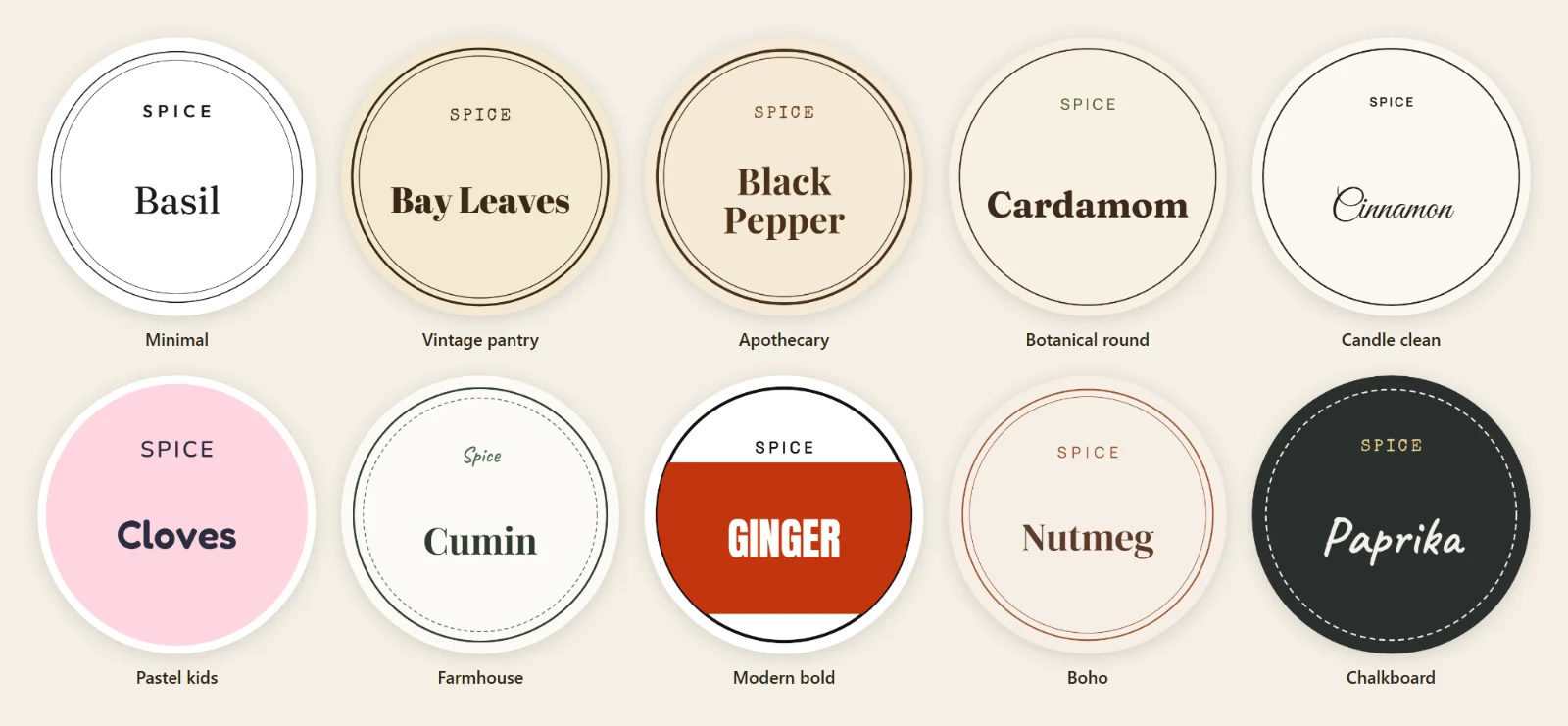
One list, ten looks

The same twelve spices in each of the ten built-in styles. Switch the style and the whole set changes, with every name fitted again.

The same twelve spices in all ten built-in styles
Get LabelForge for $17 » One-time payment · 5 bonuses included · 30-day money-back guarantee
The market

Label sets are already selling on Etsy

Before you make a single set, here is what Etsy and Google Trends showed on 8 November 2026 for printable labels, all of them digital downloads.

1,000+

results on Etsy for each of these searches: pantry, spice, candle warning, kids' name and soap labels, and Christmas gift tags

Etsy search · 8 Nov 2026
Bestseller

Etsy's own badge on printable Christmas pantry labels, kids' name labels and Christmas gift tags in the top results

Etsy · 8 Nov 2026
In 20+ carts

shown on top printable listings for pantry labels, kids' name labels, soap labels and Christmas gift tags

Etsy · 8 Nov 2026
Every December

US searches for "gift tags" peak each December, every year of the past five

Google Trends, US · 2021–2026

Read on Etsy and Google Trends on 8 November 2026. These are other sellers' listings, not ours, and shop names are left out. Demand in a niche is not a promise that your listings will sell: what you sell, if anything, depends on your designs, your shop and your marketing. LabelForge is not affiliated with Etsy.

Included with your purchase

5 Bonuses for Printing, Planning and Listing Your Label Sets

Included with LabelForge today, inside the app.

BONUS 01
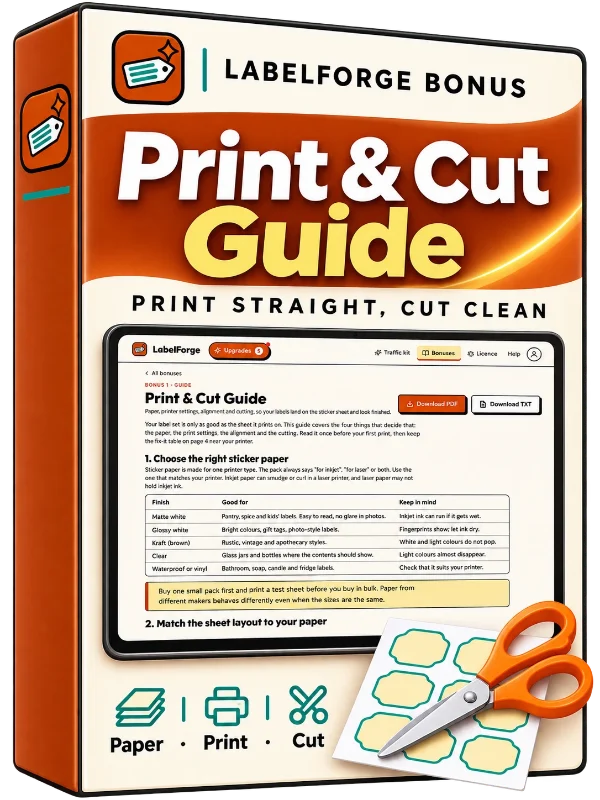
Print & Cut Guide bonus box

Print & Cut Guide

Which sticker paper to use, the print settings that keep labels on the sheet, the alignment page and clean cutting by hand or machine, with a fix-it table.

$20 value
BONUS 02
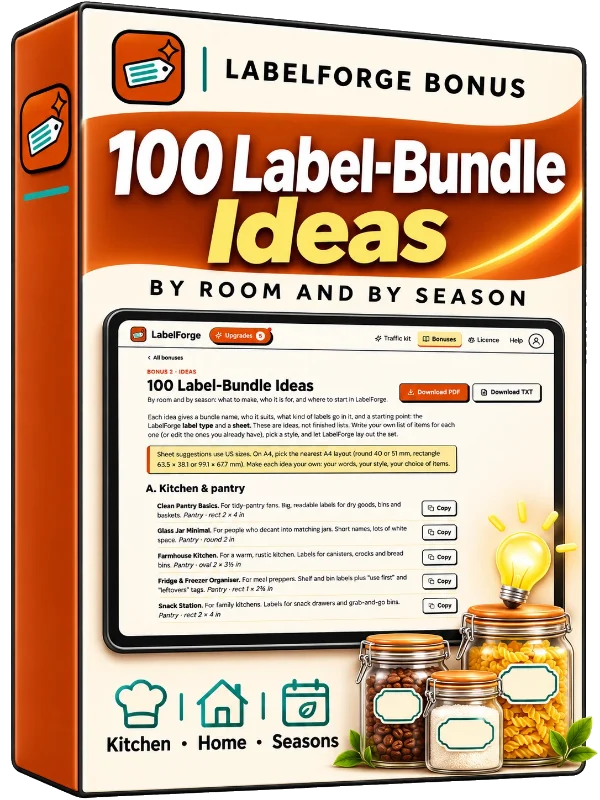
100 Label-Bundle Ideas bonus box

100 Label-Bundle Ideas

One hundred bundle ideas by room and by season, each with who it suits and which label type and sheet to start with.

$20 value
BONUS 03
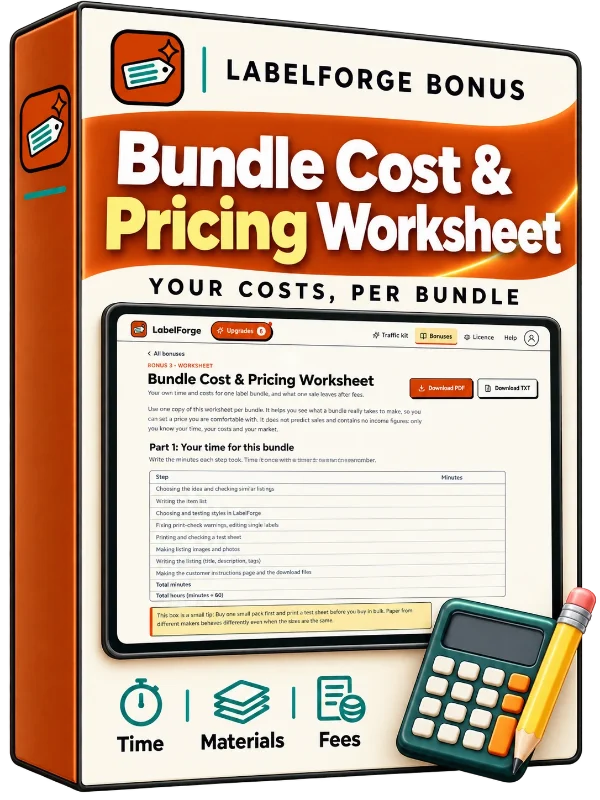
Bundle Cost & Pricing Worksheet bonus box

Bundle Cost & Pricing Worksheet

Work out what each bundle costs you in time, materials and fees before you set a price. No income figures.

$20 value
BONUS 04
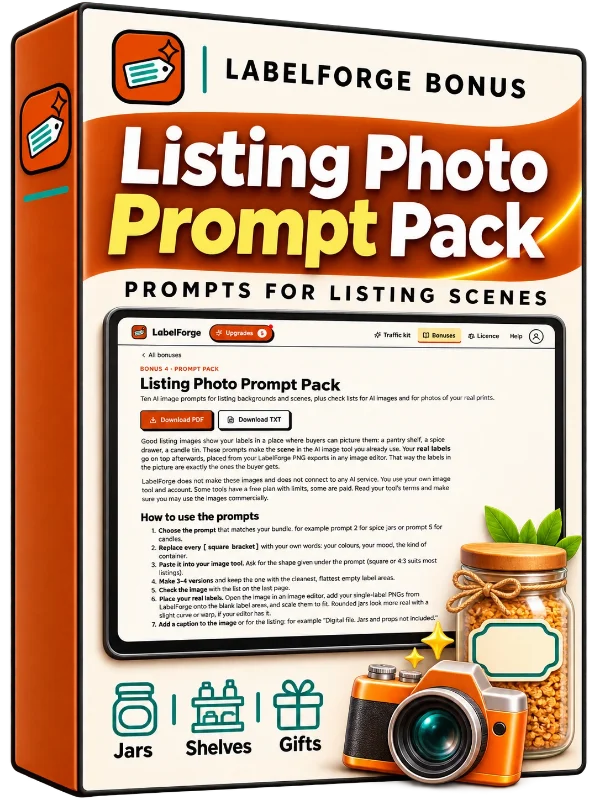
Listing Photo Prompt Pack bonus box

Listing Photo Prompt Pack

Ten image prompts for listing scenes you run in the AI image tool you already use, plus checklists for AI images and photos of your real prints.

$20 value
BONUS 05
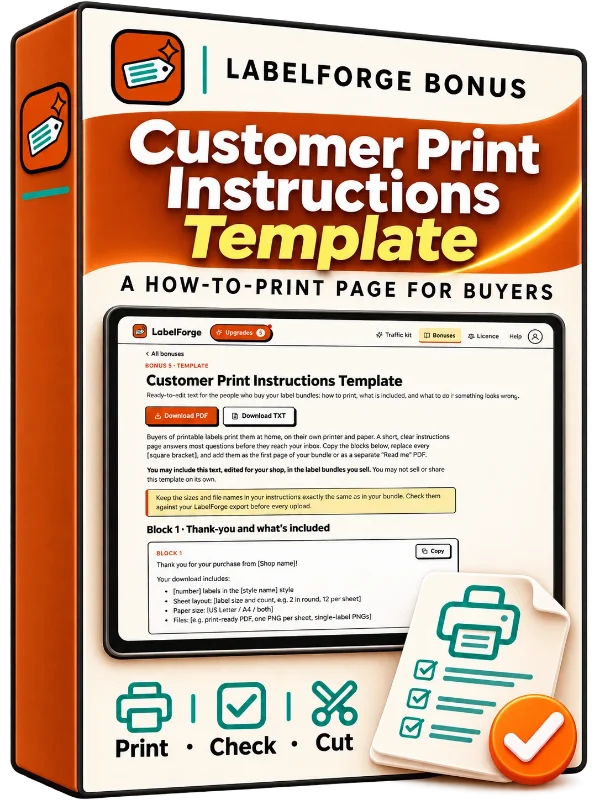
Customer Print Instructions Template bonus box

Customer Print Instructions Template

A ready-to-edit "how to print your labels" page you may include, edited, in the bundles you sell.

$20 value
TOTAL BONUS VALUE$100Yours free with LabelForge
Get LabelForge for $17 » One-time payment · 5 bonuses included · 30-day money-back guarantee
Let's be honest

Labels Are Easy. A Whole Matching Set Is Not.

Label listings are often bundles: hundreds of pantry and spice labels in one download. Buyers expect a full set that matches.

We've all been there… You open a design app, make one nice spice label, then copy it. And again. Forty times. Then you retype each name, shrink the long ones, nudge each label into place and hope the spacing still matches the sticker paper.

Then you print a test sheet and the whole page sits a few millimeters off. So you move everything, print again, and wonder how many sheets this set will take.

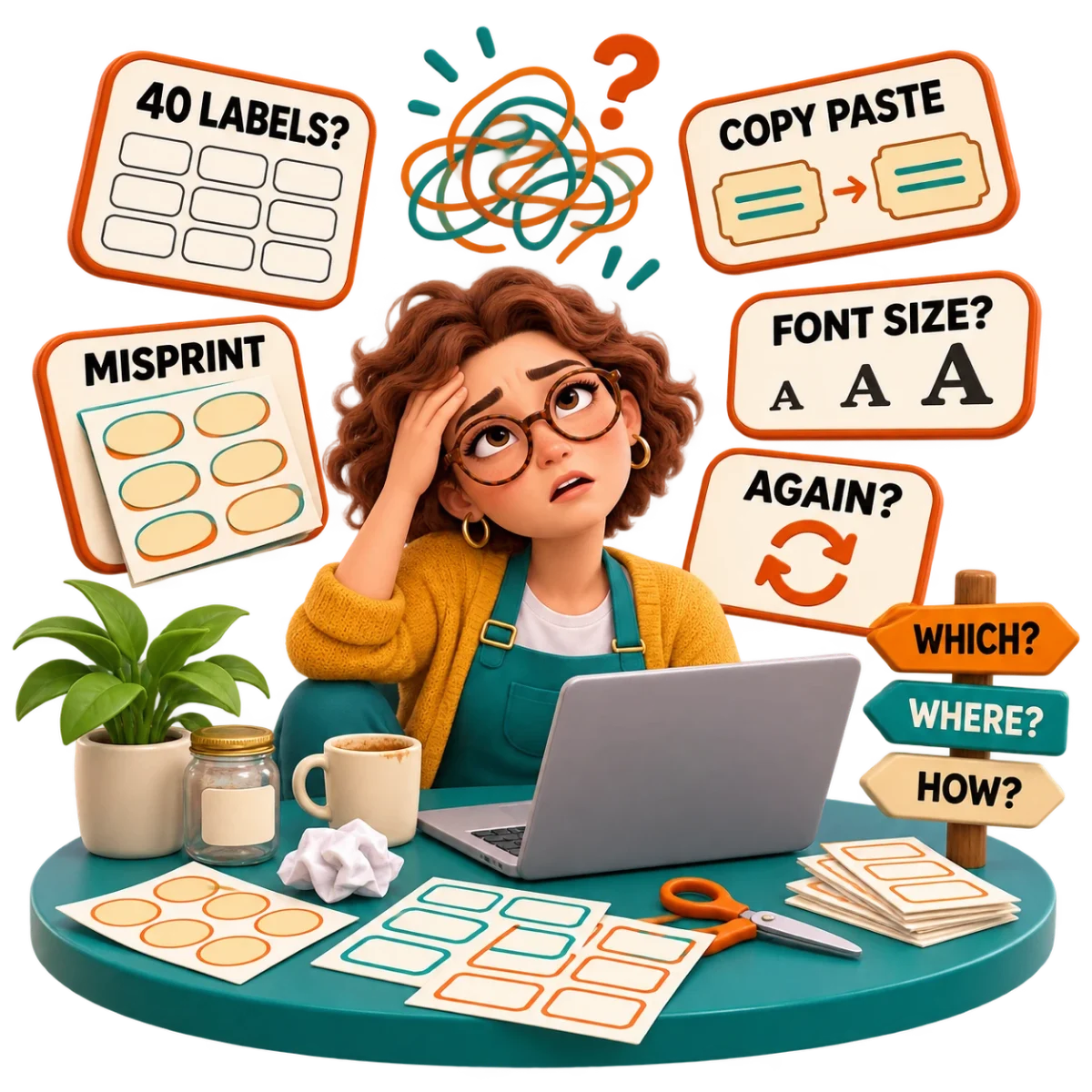
A printable seller at a desk with a stack of misprinted sticker sheets, a laptop full of copied labels and a crumpled test print

One label at a time

Copy, paste, retype, resize. A 40-label set means doing the same small job 40 times.

Text that won't match

Short names fill the label, long names spill out or shrink, and the set stops looking like a set.

Prints that miss the stickers

Your printer shifts the page a little, and every label lands half on the gap.

A new sheet means starting over

Round, rectangle, Letter, A4: each sticker sheet means rebuilding the same set.

Pictures you're not sure you may sell

Pretty botanical images are everywhere, but which ones are you allowed to put in a product?

Files buyers can actually print

A PDF at the exact sheet size and clean PNGs are their own little project.

What the Slow Way Costs You

When every label is built by hand, each set takes far longer than it should, the big bundles you planned stay on the list, and test prints eat sticker paper. A set that looks uneven or prints off the sheet is also the kind of file buyers message you about after they download it.

Introducing

Introducing LabelForge

A browser label maker built for sets. You type your list once. LabelForge lays out every label on the sticker sheet you choose, fits each name, keeps one text size across the set, checks every label before export and gives you a print-ready PDF and PNGs. There is no AI: the styles are designed by us, and the words are yours.

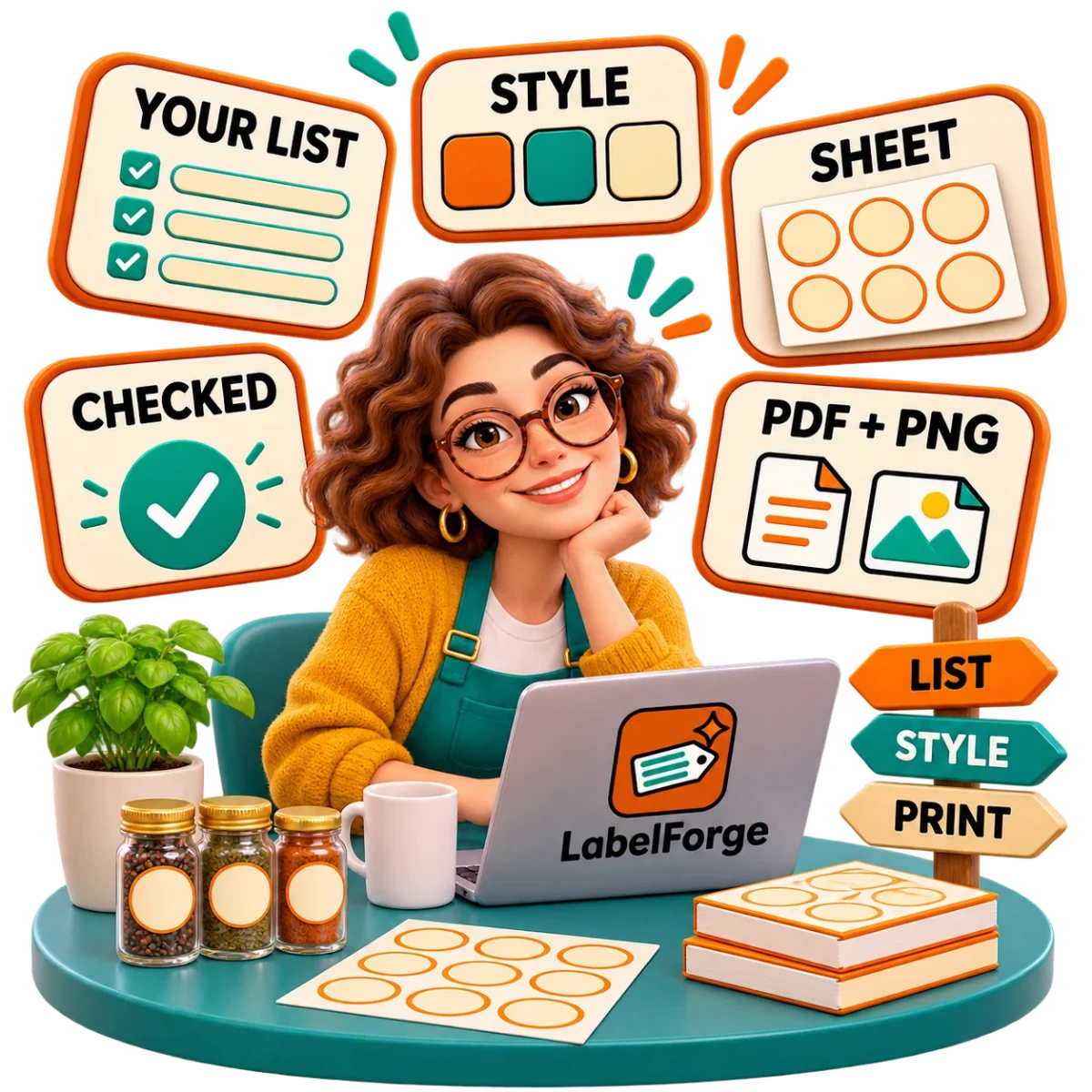
The same seller smiling at a laptop with LabelForge open, a neat sheet of matching round spice labels floating beside it with a list, a style swatch and a check mark
List to labels6 label types10 stylesOne text size per setAuto-fit text12 sheet layoutsUS Letter + A4Printer alignment pagePrint checkPDF + PNG + label ZIP100-image libraryCommercial use
Get LabelForge for $17 » One-time payment · 5 bonuses included · 30-day money-back guarantee
Which means…

With LabelForge you can finally make a full label set from a list, instead of building it one label at a time

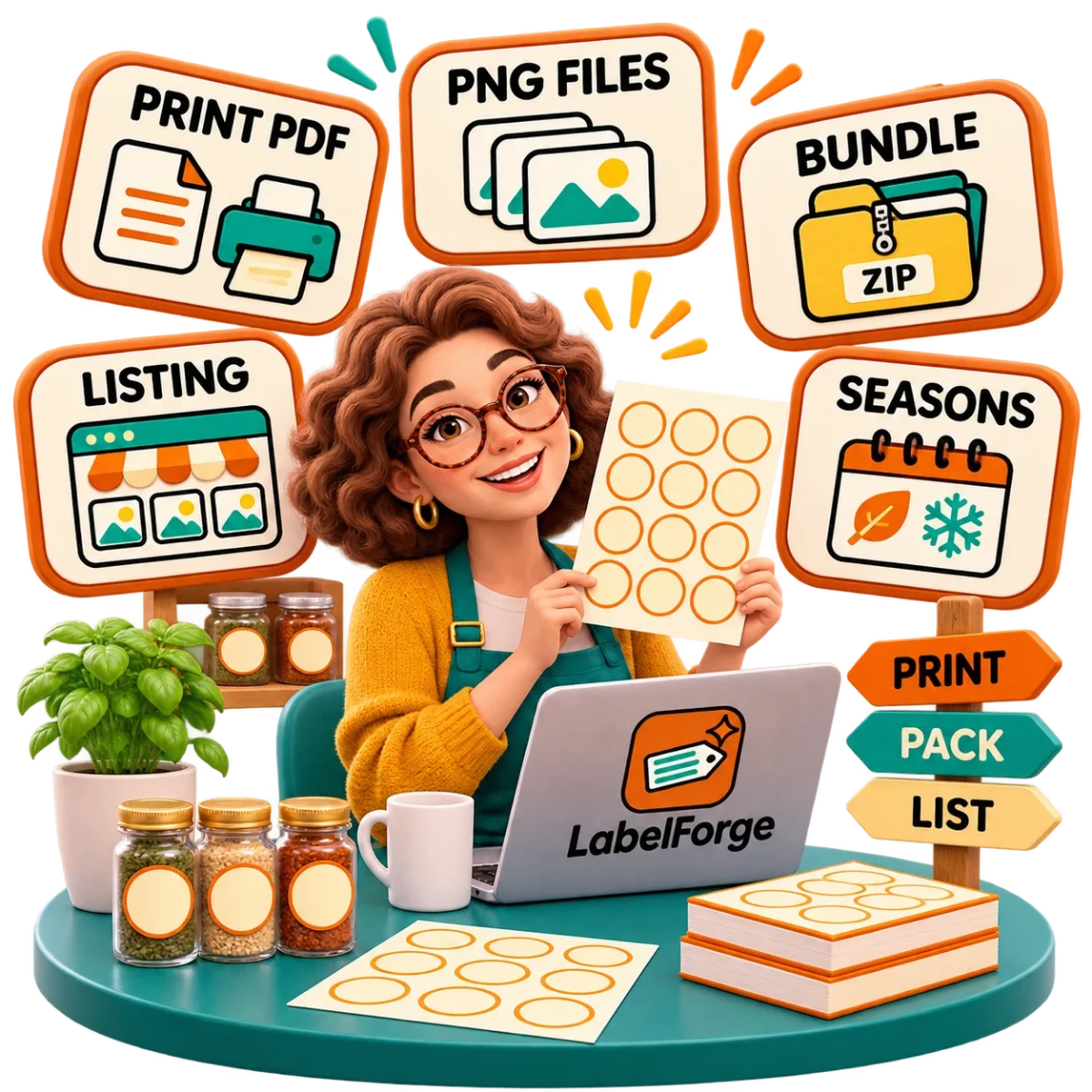
The seller holding a printed sheet of matching pantry labels next to labeled jars on a shelf, with the PDF and PNG files floating beside the laptop

No more…

  • Copying and retyping the same label 40 times
  • Shrinking long names by hand so they fit
  • Nudging labels into place on a blank page
  • Test prints that land between the stickers
  • Wondering whether an image may go into a product you sell

And instead…

  • One list in, one matching set out
  • One text size across the set, with long names fitted for you
  • The real label positions of common sticker sheets, Letter and A4
  • An alignment page and an offset the app remembers for your printer
  • 100 library images (public-domain and CC0 art, line icons and original motifs) with their source and license in the app
  • A print-ready PDF, sheet PNGs and single-label PNGs

LabelForge isn't just good for your label sets. It's good for your peace of mind too…

Calm at the printer

You print the alignment page first, set the offset once, and then print the real sheets.

Confident in your files

Every label is checked before export, so you see problems on screen, not after a buyer downloads them.

Clear about what's yours

Each image shows its source and license, and the labels you make are yours to print or sell.

Who is LabelForge for?

So, Who Is This For?

If you can type a list, you can make a label set with LabelForge.

Printable sellers

Make pantry, spice, kitchen, kids' name and gift-tag label sets to sell as printable downloads in your shop.

Candle and soap makers

Make matching labels for your own products, with your logo and editable example safety wording on candle labels.

Home organizers and parents

Label the pantry, the spice drawer, the school supplies and the toy boxes in one style.

Helpers for local makers

Make label sets for a friend's bakery or a local candle shop (client work needs the Agency upgrade).

LabelForge is for you if…

  • You sell printables, or want to add label sets to your shop
  • You make candles, soap, jams or other products that need labels
  • You want labels that match across a whole set and print on standard sticker paper
  • You work on a computer or tablet with a printer, or sell the files for buyers to print
  • You prefer one payment over another monthly subscription

It is probably not for you if…

  • You want AI to design the labels for you (LabelForge uses no AI)
  • You need cut files for a vinyl cutting machine (SVG/DXF); LabelForge makes printable labels
  • You need barcodes (UPC/EAN)
  • You want the app to list or sell your bundles on a marketplace for you
  • You want to design on your phone (the editor needs a computer or tablet screen)
  • You want us to confirm that your label wording meets the rules for candles, cosmetics or food
Get LabelForge for $17 » One-time payment · 5 bonuses included · 30-day money-back guarantee
How it works

Your Label Set in Three Steps

No design skills and no layout work. The sheet positions, the text fitting and the checks are built in.

01

Choose your label type and sheet

Pick one of 6 label types and the sticker sheet you print on: 12 common layouts in US Letter or A4. The label size is set before you type, so every name is fitted to the real label.

02

Paste your list and pick a style

One item per line, with an optional second line after a vertical bar, such as a Latin name or a scent. Edit any single label, choose from 10 styles and add an image from the library, your own images or your logo. The live preview shows the real sheets.

03

Check, align and export

The print check marks any problem and jumps to the label. Print the alignment page once and set your printer offset. Then export the PDF, the sheet PNGs or a ZIP of single labels.

Watch it work

Real clicks in the app, a few seconds each

No editing tricks: these are short screen recordings of today's app with a fictional spice list.

Paste a list, see the sheetsForty names in, the preview fills every label on the sheet.
Change the style, change the whole setOne click restyles all forty labels and fits every name again.
The print check finds the problemA name that is too long is flagged; click it, fix it, and the check passes.
Export the print PDFThe PDF comes out at the exact sheet size with the fonts embedded.
Pick your sticker sheetSwitch between Letter and A4, round and rectangle layouts; the set follows.
See exactly what you get

Real Label Sheets, Exactly as Exported

These are real sheets made with LabelForge, using fictional brand names, exactly as the app exports them.

How it keeps a set even

Measured, Checked and Lined Up Before You Print

LabelForge doesn't place text by eye. It measures it.

1

It measures every label

Each name is measured with the real font before it is drawn. Long names wrap or shrink to fit, and "one text size" mode picks a single size that fits the whole set.

2

It checks before you export

The print check looks for text overflowing its box, text under 6 pt, content within 1/16 in of the cut line, images too low in resolution for print, low-contrast text, and empty or duplicate items. Click a result and the app jumps to that label.

3

It lines up with your printer

Print the alignment page on plain paper, hold it against your sticker sheet and enter the offset you see, in 1/32 in steps. The app remembers it for that paper size on your device and applies it to every PDF.

4

What you see is what you print

The live preview and the PDF are drawn from the same measurements, at the exact sheet size, with the fonts embedded.

Everything inside

LabelForge Is Complete With Everything You Need to Make Label Sets, Including…

List to labels

Paste or type your items, one per line, with an optional second line. Edit any single label.

6 label types

Pantry and kitchen, spice jar, kids' names, candle warning, soap and bath, gift tags.

10 styles

Minimal, vintage, apothecary, pastel and more, each with its own fonts, colors and frame. Change the accent color or choose from 12 font pairs.

One text size per set

Auto-fit for every label, plus a mode that keeps one size across the whole set.

12 sheet layouts

Round, rectangle, square and oval labels on US Letter and A4, with cut lines on or off.

Alignment page and offset

A plain-paper test sheet with outlines, center marks and rulers, and an offset setting saved per device.

Print check

Errors and warnings for overflowing or tiny text, the safe area, image resolution, contrast and duplicate items.

PDF, PNG and label ZIP

A print PDF at the exact sheet size, a 300 dpi PNG of each sheet and a ZIP of single-label PNGs.

100-image library

Public-domain and CC0 art, line icons and original motifs for spice jars, pantry, Christmas, Halloween, Valentine's Day, Easter, baking, school and more, each with its source and license in the app.

Your logo

Upload one logo; a plain background is removed in your browser.

Your own images

Upload your own artwork or photos and use one for the whole set or a different one on each label. A plain background can be removed and the image tinted to one ink color, all in your browser.

Numbering and text blocks

Add "No. 01" numbering, a second line and a small footer line to any set.

Private by design

No AI, no API key. Your projects stay in your browser on your own device, with backup files you can export.

Take a look inside

Simple Enough for Your First Label Set

A clear workspace: your projects, then one editor with three panels (List, Design and Sheet), a live preview of the real sheets, the print check and the export.

What you can make

One List, Six Kinds of Label Sets

Pick the label type that fits your list. The styles and sheets work with all six.

Pantry and kitchen

Flour, sugar, rice, pasta, oats: a full pantry set in one style, with numbering if you like.

Spice jars

Round labels for every spice in the drawer, with an optional Latin name or a botanical image.

Kids' names

Name labels for school supplies, lunch boxes and toy bins, in soft colors.

Candle warning

Your brand, the scent name and editable example safety wording on each label.

Soap and bath

Labels for soaps, scrubs and bath salts, with your logo.

Gift tags

Matching tags for a batch of gifts, jars or favors.

Sell anywhere

Make a set once, use it in many places

Your label sets are yours to sell or use. Here are the usual places people put them.

An Etsy printable shop

Instant downloads: pantry and spice bundles, holiday sets, kids' name labels. Etsy sends the file to each buyer for you.

Your own shop

Shopify, Payhip or Gumroad: one PDF and its PNGs, sold as a digital download.

Your own products

Candle, soap and bath labels with your logo and the warning text, for the things you already make.

Made to order

Kids' names for school and daycare, or a customer's own spice list, made from their message.

Markets and fairs

Printed sheets and gift tags to sell at craft fairs and local markets.

Your own home

A tidy pantry, laundry room or classroom, printed on your own printer.

Ideas for the season ahead

Dec 25

Christmas

Gift tags, holiday pantry labels and cookie-jar labels. US searches for "gift tags" peak every December.

January

New-year organizing

Pantry, fridge, laundry and bathroom sets for a fresh start.

Feb 14

Valentine's Day

Treat-bag labels, classroom valentines and gift tags.

Aug–Sep

Back to school

Name labels for supplies, lunch boxes and classroom bins.

Still on the fence?

"But I'm Not…" Don't Worry, We Thought of That

“I'm not a designer.”

You don't design the labels. You pick one of 10 styles, and the app handles the fonts, spacing and text size for the whole set.

“I'm not technical.”

It runs in your browser, with nothing to install. If you can paste a list and click Export, you can use it.

“My printer never lines up.”

That's why the alignment page exists. Print it on plain paper, enter the offset you see, and LabelForge applies it to every PDF you export on that device.

“I'm not sure I'm allowed to sell what I make.”

You may sell or give away the labels you make, including the library images in them. Each image shows its source and license in the app. You may not resell the app or the image library itself.

“I've seen "AI" tools that make junk.”

LabelForge uses no AI. The styles are designed by us, and every label passes through the same print check.

“I don't want another monthly bill.”

One payment. No subscription, no API key, no credits. The front-end app is complete on its own.

“I don't know the rules for candle or food labels.”

Nobody can promise that for you, and we don't. The app gives you editable example wording, and you check the rules where you sell.

Ways to do it

Why not use a free template or a design app?

THE USUAL WAY

A free label template

  • One fixed look
  • You type each name into each label yourself
  • Long names spill over
  • No check before you print
THE USUAL WAY

A design app

  • You build one label, then copy it forty times
  • You place each copy on the sheet by eye
  • A new sheet size means starting again
THE USUAL WAY

Doing it by hand

  • Hours for one set
  • Every name resized one by one
  • Test prints until the page lines up
A BETTER WAY

LabelForge

  • Paste the list once and get the whole set
  • Every name fitted, one text size across the set
  • 12 common sheet layouts, Letter and A4
  • A print check and an alignment page before you print
  • PDF, sheet PNGs and single-label PNGs
Who made this

Why We Built LabelForge

We're Groovydigi. We build small, focused tools for people who make and sell printables and digital products.

Label sets kept coming up when we looked at what printable sellers make, and building one by hand is slow, repetitive work that ends at the printer. So we built the parts that take the time (the sheet layouts, the text fitting, the checks and the alignment page) into one browser app.

It runs in your browser, keeps your projects on your device and costs one payment, with no subscription.

Get started today

Here's Everything You Get With LabelForge Today

LabelForge web app
List to labels, 6 label types, 10 styles, 12 sheet layouts (Letter + A4), alignment page, print check, PDF + PNG + label ZIP, 100-image library, your own images and logo, commercial use of your labels
$17 value
Bonus 1: Print & Cut Guide
Paper, printer settings and cutting
$20 value
Bonus 2: 100 Label-Bundle Ideas
Ideas by room and season
$20 value
Bonus 3: Bundle Cost & Pricing Worksheet
Your costs, time and fees per bundle
$20 value
Bonus 4: Listing Photo Prompt Pack
Scene prompts for your own AI image tool
$20 value
Bonus 5: Customer Print Instructions Template
A print guide for your own buyers
$20 value
Total value$117
LabelForge with a spice label set open in the editor
Today, one payment of
$17
One-time payment · No subscription · No API key

What's inside

  • The editor: list to labels, 6 label types, 10 styles, auto-fit and one text size per set
  • 12 common sticker-sheet layouts in US Letter and A4, cut lines on or off
  • Printer alignment page and a saved offset for your printer
  • Print check: overflow, small text, safe area, image resolution, contrast, empty and duplicate items
  • Exports: print PDF at the exact sheet size, a PNG of each sheet, a ZIP of single-label PNGs
  • 100 library images (public-domain and CC0 art, line icons and original motifs), one logo with background removal, and your own images
  • Commercial use of the labels you make
  • 5 bonuses inside the app, with PDF and TXT downloads

YES! Give Me Access Today So I Can…

  • Turn one list into a full, matching label set
  • Stop retyping and resizing labels one at a time
  • Print on common sticker sheets in US Letter or A4
  • Set my printer offset once with the alignment page
  • See print problems on screen before I export
  • Sell or give away the labels I make
  • Keep my projects private on my own device
Get LabelForge for $17 » One-time payment · 5 bonuses included · 30-day money-back guarantee

Secure checkout through WarriorPlus · instant access after checkout

30-Day Money Back Guarantee
Your purchase is protected

Try LabelForge With Confidence

Make a set, print the alignment page and export your files. If LabelForge is not right for you, contact our support team within 30 days of your purchase and we will refund you. No reason needed. A refund of the front-end purchase closes the account.

Questions

Frequently Asked Questions

What exactly is LabelForge?
A browser app that turns a list into a matching label set. You choose a label type, a style and a sticker-sheet layout; it lays out every label, checks each one for print problems and exports a print PDF, a PNG of each sheet and a ZIP of single-label PNGs.
Which sticker sheets does it support?
12 common layouts. US Letter: round 1.5 in (20), 2 in (12) and 2.5 in (9); rectangle 2 × 4 in (10), 1 × 2⅝ in (30) and 3⅓ × 4 in (6); square 2 in (20); oval 2 × 3⅓ in (8). A4: round 40 mm (24) and 51 mm (15); rectangle 63.5 × 38.1 mm (21) and 99.1 × 67.7 mm (8). They are generic layouts of common sizes, not tied to any paper brand. Any other size needs the custom sheet editor in the Pro upgrade.
Will my labels line up when I print?
Printers shift the page slightly, and each one differs. LabelForge gives you an alignment page to print on plain paper and an offset setting in 1/32 in steps. Once you enter your offset, it is applied to every PDF you export on that device. Check one test print before printing a full run on sticker paper.
Can I sell the labels I make?
Yes. You may sell or give away the labels and printables you make with LabelForge, including the library images in them. You may not resell, share or give away the app, its styles as a template set or the image library as a collection.
Where do the images come from?
The library has three kinds of images: old plates marked public domain or CC0 at their source (such as 19th-century botanical and fruit plates and museum ornaments), line icons from Lucide under the ISC license, and simple motifs drawn by us. The app shows the source, license and artist of each image. You can also upload your own images and your logo; for anything you upload, you need to own the rights.
Does it use AI? Are there monthly fees?
No and no. LabelForge uses no AI and needs no API key. One payment, no subscription, no credits.
How do I get access after I buy?
Your LabelForge account is created right after checkout, and your sign-in details are emailed to you from hello@groovydigi.com. You sign in at labelforge.groovydigi.com. If the email does not arrive, check Spam or use "Forgot password?" on the sign-in screen.
Do I need to install anything?
No. It runs in Chrome, Edge, Firefox or Safari on a computer or tablet. The editor needs a computer or tablet screen, so it is not made for phones. It keeps working offline after you sign in.
Where are my projects saved?
In your browser on your own device. Nothing you type or upload is sent to our server. Clearing your browser data deletes your projects, so export a project backup file to keep a copy or move it to another device.
Does it make files for cutting machines?
No. LabelForge makes printable labels (PDF and PNG). It does not make SVG or DXF cut files.
Is the candle and soap warning text legally approved?
No. The app gives you editable example wording. The rules for candle, cosmetic and food labels depend on where you sell, so please check them yourself.
Is there a LabelForge credit on my files?
PDFs exported from the front-end app carry a small "Made with LabelForge" line in the bottom page margin, outside the labels. PNG files never carry it. The Agency upgrade removes it from PDFs too.
Does it list my bundles on Etsy?
No. LabelForge makes the files; you list them in your own shop. LabelForge is not affiliated with, endorsed by or sponsored by Etsy, any marketplace or any paper maker.
Are there upgrades?
Yes, all optional. The front-end app is complete on its own: unlimited projects, all six label types, the alignment page, the print check and every export. Upgrades add more styles and any sheet size, ready-made lists, client work, a bundle builder and listing templates.
What if it's not right for me?
Email our support team within 30 days of your purchase and we will refund you. No reason needed.

One last thing before you decide…

We built LabelForge to do the slow parts of a label set for you: placing every label on the sheet, fitting every name, checking the print and lining up your printer. You keep the fun part: the list, the style and the look of your shop.

Make one set tonight. Print it on plain paper first, hold it against your sticker sheet, then print the real thing. If LabelForge is not right for you, ask for your money back within 30 days. No hard feelings.

The Groovydigi team

Start today

Your List Is Already Written. Let LabelForge Turn It Into a Set.

One list, one matching set, checked and lined up for your sticker paper, as a PDF and PNGs you can print or sell.

Get LabelForge for $17 » One-time payment · 5 bonuses included · 30-day money-back guarantee