AuditPin Get AuditPin
ATTENTIONMarketing agencies, freelancers and consultants who serve dentists, salons, plumbers, restaurants, lawyers and other local businesses

When a client asks "Does ChatGPT recommend us?", here's how to answer in a report, with the fix attached…

Show Any Local Business Whether ChatGPT Recommends Them, and Hand Them the Fix

A branded audit report across ChatGPT, Perplexity, Google and Gemini, plus a ready FAQ page, schema code and llms.txt. One payment, no API key, no monthly fee.

Add the business, its city and its competitors. AuditPin builds the questions customers ask. You ask them in ChatGPT, Perplexity, Google and Gemini, the way a customer would, and paste the answers. AuditPin finds who was mentioned, in what order and from which sources, scores the business against its competitors and turns it all into a report the owner understands, with the fix files ready to hand over.

STEP 1Add the business
STEP 2Ask and paste
STEP 3Get the score
STEP 4Hand over report + fix
Get AuditPin for $27 » One-time payment · Bonuses included · 30-day money-back guarantee
The usual way

Asking ChatGPT Is Easy. Turning the Answers Into a Report Is Not.

A client asks, "Does ChatGPT recommend us?" You type "best dentist in Austin" into ChatGPT, take a screenshot and send it over. Then they ask about Google's AI answers, Perplexity and Gemini, and every one names different businesses.

So you open a spreadsheet. Ten questions, four engines, forty answers. You scan each one for the client's name, the competitors, the order they appear in and the sites being cited, and you hope you didn't miss one spelled a little differently.

Then comes the real question from the owner: "So what do we do about it?" And the FAQ page, the schema code and the listing fixes are still a separate job, in separate tools.

Examples with fictional businesses, made to show the problem. They are not screenshots of any real AI tool.

An agency freelancer at a desk surrounded by screenshots of AI chat answers and a messy spreadsheet, a local business owner on a video call looking confused

Screenshots aren't a report

A chat screenshot shows one answer. It doesn't show a score, the competitors or what to fix.

Four engines, four answers

ChatGPT, Perplexity, Google and Gemini each name different businesses and cite different sites.

Reading every answer by eye

Finding the client, the competitors and the sources in forty answers is slow and easy to get wrong.

Where does the AI get it?

The sites the AIs cite (directories, maps, local news) decide a lot, and they're buried in the answers.

The audit stops at the problem

The FAQ page, the schema code and the listing fixes still need other tools and more hours.

Nothing to compare next month

Without a saved audit, you can't show the owner what changed since last time.

What the Screenshot Way Costs You

Each audit takes hours you can't easily repeat, the result looks different every time, and the owner gets a pile of screenshots instead of a clear answer. The most useful part of the job, the fix, often never gets delivered, and next month you start again from a blank page.

Introducing

Introducing AuditPin

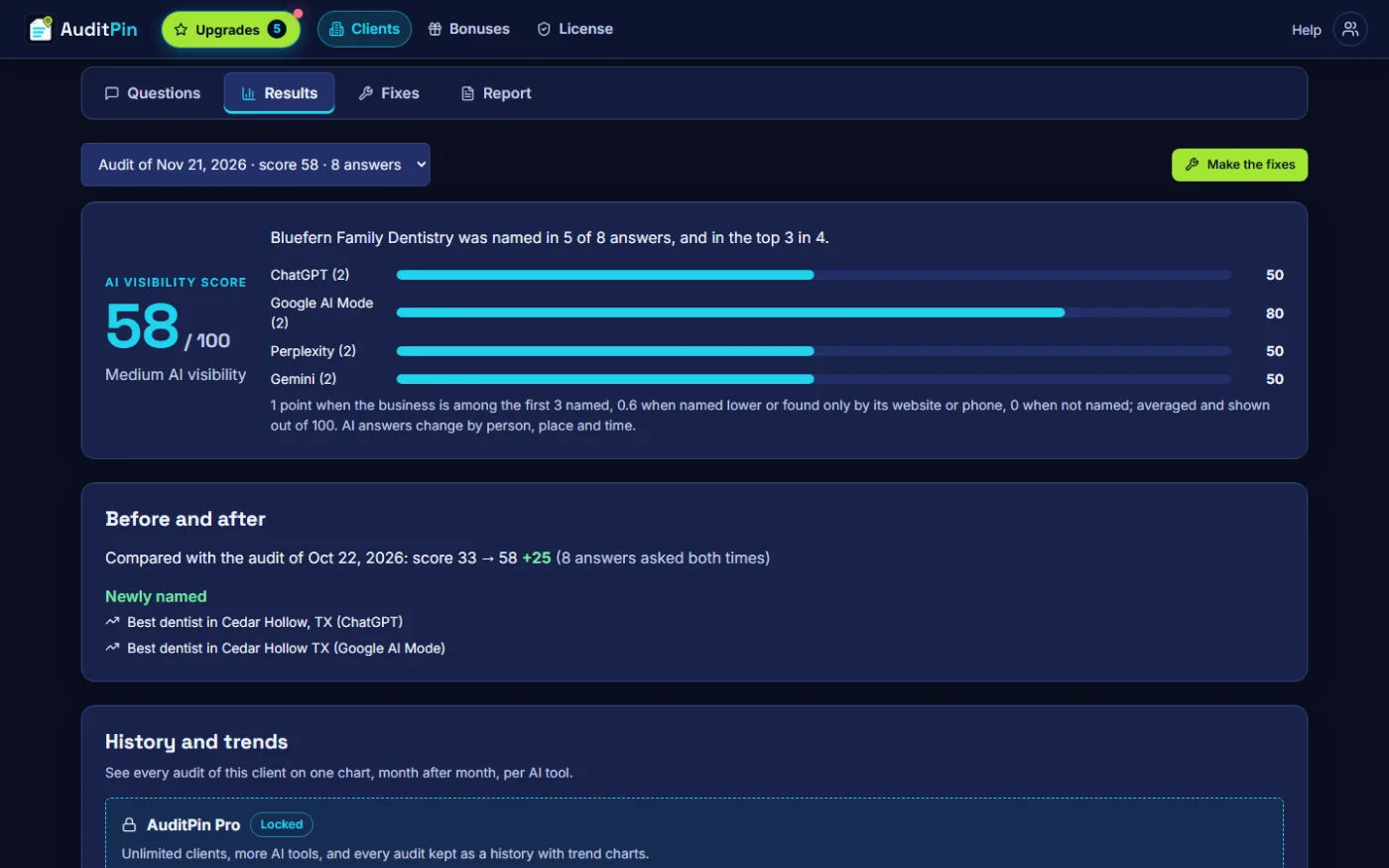
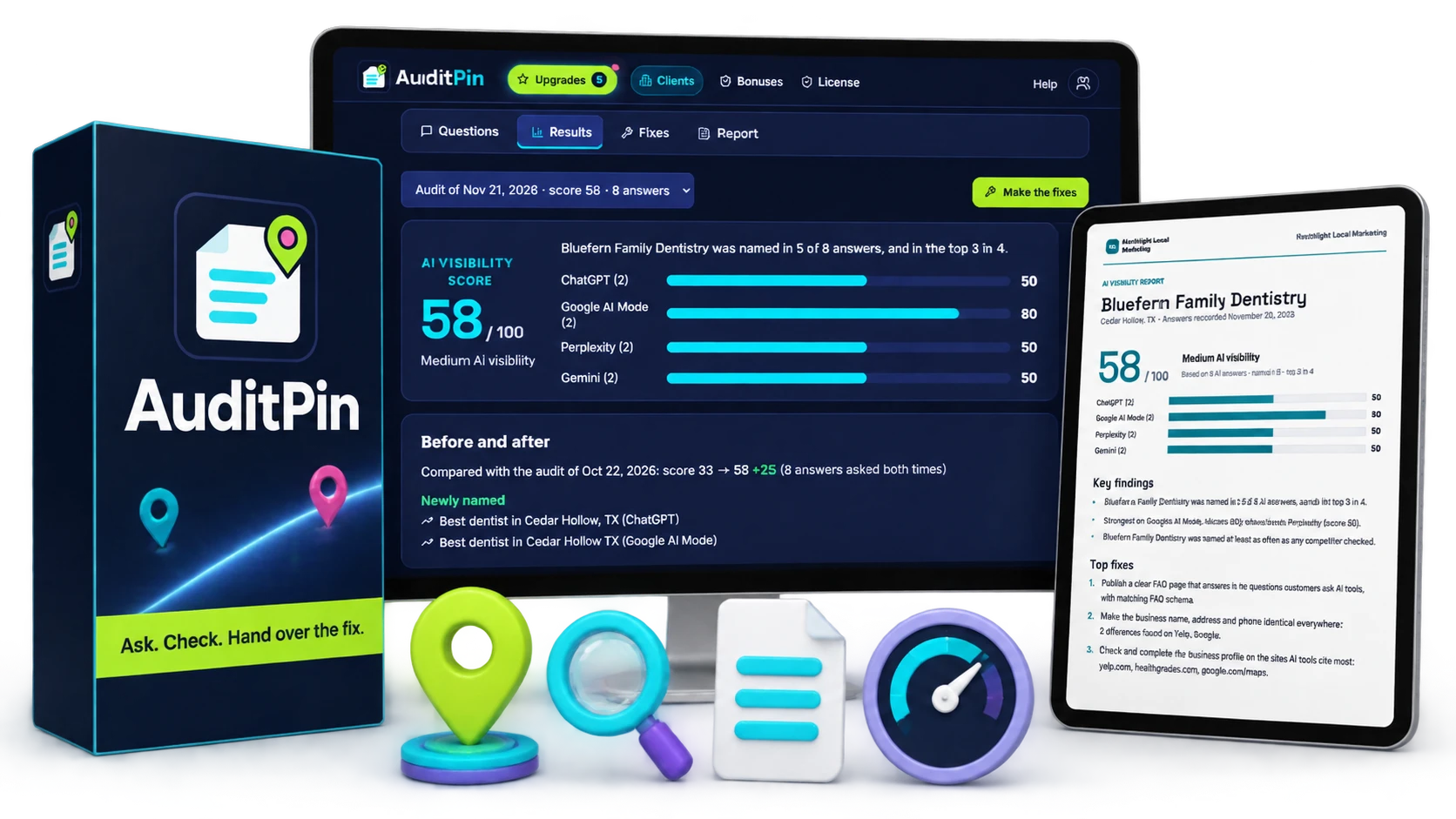
A browser app for AI visibility audits of local businesses. It builds the questions, gives you Open and Copy buttons for each AI engine, reads the answers you paste, finds the business and its competitors, scores the result and lists the sources the AIs cite. Then it turns everything into a branded report and the fix files the business needs. There is no AI inside AuditPin: you ask the real AI tools yourself, so the report shows exactly what a customer would see.

The same freelancer smiling at a laptop with AuditPin open, a clean branded report with a score gauge, a competitor table and an FAQ page floating beside it
4 AI engines25 local industriesCity-based questionsOpen + Copy buttonsAuto detectionScore 0–100Competitor tableCited sourcesBefore / after3 report stylesTeaser reportFAQ page + schema + llms.txtName–address–phone checkOwner checklist
Get AuditPin for $27 » One-time payment · Bonuses included · 30-day money-back guarantee
How it works

Your First Audit in Three Steps

A demo business is already loaded, so you can see a finished report in about two minutes before you add your first real client.

01

Add the business

Name and other names it goes by, city, industry (25 to choose from), website, phone, address and 3–5 competitors. AuditPin builds 10–15 questions local customers ask, for that city. Edit, delete or add your own.

02

Ask and paste

Click Open to ask each question in ChatGPT, Perplexity or Google AI Mode with the question already filled in, or Copy it for Gemini, the same way a customer would. Paste the answer back. AuditPin keeps the source links the AI showed.

03

Get the report and the fix

See the score, the competitor table and the cited sources. Make the FAQ page, schema code, llms.txt and the name–address–phone check. Export the branded report, the teaser and the owner checklist.

Watch it work

Real clicks in the app, a few seconds each

No editing tricks: these are short screen recordings of the app with a fictional local business.

Paste an answer, see who's mentionedThe business and its competitors light up, with their order and the cited sites.
The score and the competitor tableFill in the last answer and the visibility score and competitor share update.
Make the fix filesFAQ page, schema code and llms.txt, each with a check and a copy button.
Every answer, highlightedScroll down the results: the before/after change, then each recorded answer with the business and its competitors marked.
Export the branded reportPick a style, add your logo and export the PDF.
Everything inside

AuditPin Is Complete With Everything You Need to Run AI Visibility Audits, Including…

4 AI engines

ChatGPT, Perplexity, Google (AI Overviews and AI Mode) and Gemini, each with Open and Copy buttons.

Questions for 25 industries

City-based question sets for 25 local industries, 10–15 per client, all editable.

25 saved clients

Each with its other names, city, industry, website, phone, address and 3–5 competitors.

Automatic detection

Mentioned or not, position among the businesses named, competitors named, sources cited, per question and engine.

Visibility score and competitor share

A 0–100 score and a table of how often each competitor is named.

Where AI gets its information

The sites the AIs cite, ranked, such as directories, maps and local news.

Before / after

Compare with the client's previous audit.

Branded report in 3 styles

Your logo, colors, name and contact; an owner summary page, details per question and engine, the competitor table, sources and the method note.

1-page teaser report

Score, one competitor comparison and your contact details, to start a conversation with a prospect.

FAQ page, schema and llms.txt

An FAQ page (one HTML file, ready to upload or paste into WordPress), LocalBusiness, FAQPage and Service schema code and an llms.txt file, each with a check and a copy button.

Name–address–phone check

Paste the business details from Google, Yelp, Apple, Facebook and the website; see every mismatch in one table.

Owner checklist (PDF)

The tasks only the owner can do: claim their profiles, ask for reviews, fix the listed mismatches.

Private by design

No AI inside, no API key. Client data stays in your browser, with a backup file you can export.

Take a look inside

Simple Enough for Your First Audit

A clear workspace: your clients, the questions with their Open, Copy and paste boxes, the results, the fix files and the report, with a 5-step guide on the first run.

What you hand over

Real reports and fix files, made in AuditPin

Every file below is a real export from the app, made for fictional local businesses. Click any page to see it full size.

Owner summary page · fictional dental clinic · Clean style
Owner summary page · fictional plumber · Brand band style
Cover page · fictional hair salon · Cover style
Every question, every AI tool, competitors and cited sites · dental clinic
1-page teaser report for a prospect · dental clinic
Owner summary page · fictional law firm · Clean style
Printable owner checklist · dental clinic
1-page teaser report · fictional plumber
Owner summary page · fictional café · Brand band style
Owner summary page · fictional hair salon · Cover style
1-page teaser report · fictional law firm
1-page teaser report · fictional café
Printable owner checklist · fictional hair salon
1-page teaser report · fictional hair salon
Report page 2 · fictional law firm
Report page 2 · fictional plumber
Report page 2 · fictional café
Printable owner checklist · fictional law firm
Printable owner checklist · fictional plumber
FAQ page in the browser · fictional café
FAQ page in the browser · fictional hair salon
FAQ page in the browser · fictional dental clinic
FAQ page in the browser · fictional plumber
FAQ page in the browser · fictional law firm

One audit, three report styles

The same audit of the same business in each of the three built-in report styles, with the agency's own logo and colors.

The same audit in all three report styles
Get AuditPin for $27 » One-time payment · Bonuses included · 30-day money-back guarantee
See exactly what you get

Real Reports and Files, Exactly as Exported

These are real files made with AuditPin for fictional local businesses, exactly as the app exports them.

How the score is made

Read, Matched and Checked Before It Reaches the Report

AuditPin doesn't guess. It reads each answer the same way, every time.

1

It finds the business, even under other names

Names are matched with their spelling variations ("&" or "and", "Dr." or "Doctor", LLC or Inc), the other names you saved, the website and the phone number. Competitors are matched the same way.

2

It notes the order

When an answer names several businesses, AuditPin records where your client appears among them, in numbered lists or bold names.

3

It collects the sources

Links the AI showed (kept from the pasted answer), web addresses in the text and links you add are grouped by site and ranked by how often they're cited.

4

It scores the result

Each question and engine scores higher when the business is named near the top. The average becomes a score from 0 to 100, shown with the number of answers recorded.

5

You stay in control

Correct any detection with one click; your corrections are saved and shown in the report. The audit check stops the export while a red item remains.

Which means…

With AuditPin you hand the owner a clear answer and the fix, instead of a folder of screenshots

The freelancer and a local business owner looking at a printed branded report together, a laptop beside them showing a before/after score

No more…

  • Sending chat screenshots and calling it an audit
  • Scanning forty answers by eye for a name
  • Guessing which sites the AIs rely on
  • Building the FAQ page and schema code in separate tools
  • Starting from scratch every month

And instead…

  • A branded report with a score, a competitor table and the cited sources
  • The business found automatically, even under its other names, and every detection you can correct
  • A ranked list of the sites the AIs cite, so you know which listings to fix first
  • An FAQ page, schema code and llms.txt made from the client's own answers, checked before export
  • A before/after against the last audit of the same client
  • A printable checklist of the tasks only the owner can do

AuditPin isn't just good for your reports. It's good for your confidence too…

Calm in front of the owner

You show one clear page: the score, three key findings and the top fixes.

Sure of your numbers

The audit check flags missing, doubled or cut-off answers before you export, and you can correct any detection.

Honest about what it means

Every report carries a method note: the date the answers were recorded and that AI answers change by person, place and time.

Included with your purchase

Bonuses to Run Your First Audits Faster

Included with AuditPin today, inside the app. Values reflect our own pricing.
BONUS 01
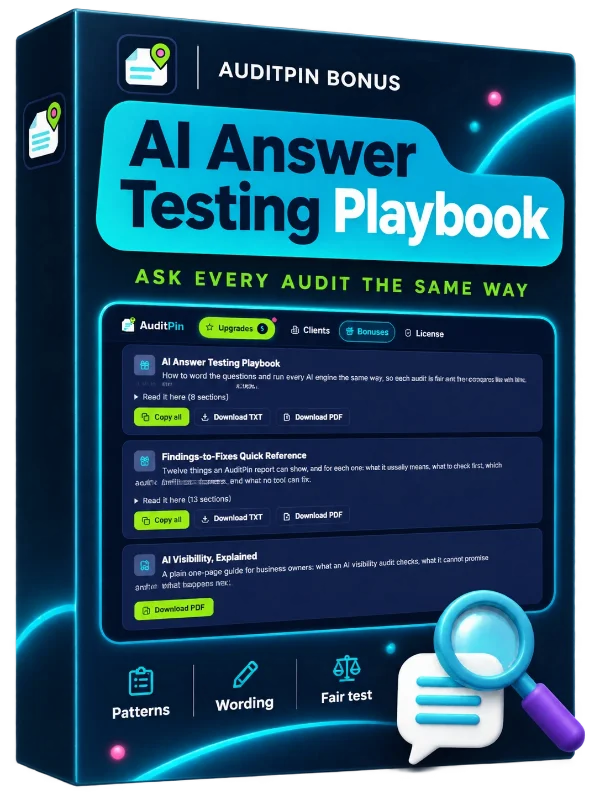
AI Answer Testing Playbook bonus box

AI Answer Testing Playbook

Six question patterns local customers use, wording tips for a city or a neighborhood, a fair-test checklist and where each AI engine shows its sources, so every audit is asked the same way and the next one compares like with like.

$22 value
BONUS 02
Findings-to-Fixes Quick Reference bonus box

Findings-to-Fixes Quick Reference

Twelve things a report can show, each with what it usually means, what to check first, which AuditPin tool answers it and what no tool can fix.

$17 value
BONUS 03

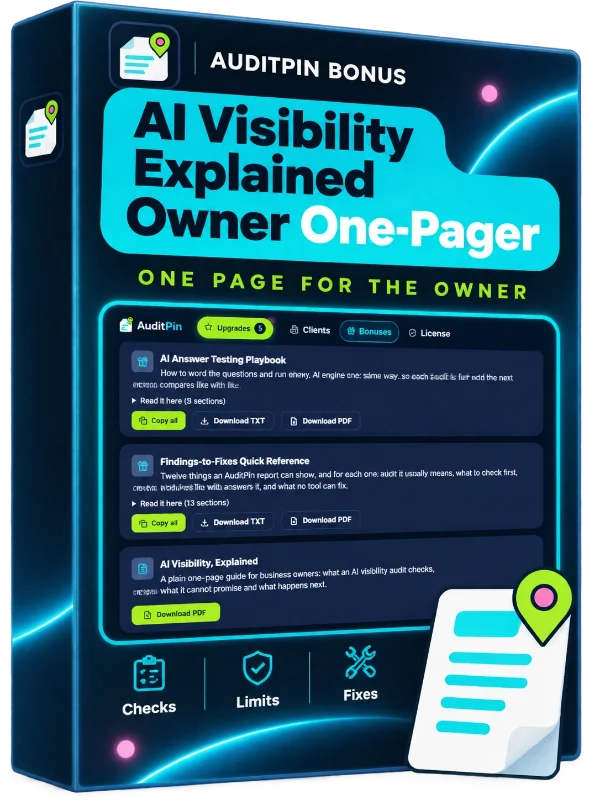
"AI Visibility Explained" Owner One-Pager

A plain, printable page you can hand to a business owner: what an AI visibility audit checks, what it can't promise and what the fix files do. No branding, so it works for any agency.

$17 value
BONUS 04
Owner-Approved Content Prompt Pack bonus box

Owner-Approved Content Prompt Pack

24 prompts for the free AI chat you already use: profile posts, review replies, business descriptions and plain facts, built on the owner's facts, with a how-to and a check list.

$25 value
BONUS 05
Fix-File Install Guide bonus box

Fix-File Install Guide

Step by step: put the FAQ page, the schema code and llms.txt on a WordPress, site-builder or hosted website, then check them with free validators.

$19 value
TOTAL BONUS VALUE$100Yours free with AuditPin
Get AuditPin for $27 » One-time payment · Bonuses included · 30-day money-back guarantee
Why now

What changed this autumn

Here is what we read on public pages on 20 November 2026.

Claim your listing

OpenAI's help center describes how businesses can claim their listing in ChatGPT, update their details, see insights and grant an agency access to manage it.

help.openai.com, article 20001635 · read 20 Nov 2026
No guarantee

The same page says claiming a listing "doesn't guarantee increased visibility", which is why checking what the AIs actually say still matters.

help.openai.com, article 20001635 · read 20 Nov 2026
Top sellers

AI-visibility products held places #3 and #5 among JVZoo software and #1 among JVZoo information products on 20 November 2026.

JVZoo Top Sellers, "today" · 20 Nov 2026

Read on 20 November 2026; the other products are not named. These are signals about the topic, not a promise that you will win clients or that any business will be mentioned by an AI. AuditPin is not affiliated with OpenAI, JVZoo's other vendors or any other product or platform mentioned.

Who is AuditPin for?

So, Who Is This For?

If you can ask a question in ChatGPT and paste the answer, you can run an AI visibility audit with AuditPin.

Local marketing agencies

Add AI visibility audits and fixes to the services you already sell to local clients.

Freelancers and consultants

Offer a clear, branded audit to the businesses you already help with websites, listings or reviews.

Web designers

Hand over an FAQ page and schema code with every site you build or update.

Local business owners

Check your own business and your competitors, and fix your own listings.

AuditPin is for you if…

  • You serve local businesses, or want to
  • You want a new, easy-to-explain service to offer your clients
  • You want a report with your brand on it, not someone else's
  • You'd rather pay once than add another monthly platform
  • You work on a computer or tablet

It is probably not for you if…

  • You want the app to query ChatGPT or Google automatically (you ask them by hand, on purpose)
  • You want a tool that promises rankings or that AI will recommend a business (nobody honest can)
  • You want AI to write content for you (AuditPin has no AI inside)
  • You need daily automatic tracking of hundreds of keywords
  • You want the app to edit your client's website or listings for you (you get the files; you or the client upload them)
  • You want to work on a phone
Get AuditPin for $27 » One-time payment · Bonuses included · 30-day money-back guarantee
What you can deliver

One Audit, Six Things to Hand Over

Every audit gives you more than a score. Use what fits the client.

The owner report

A branded PDF the owner can read in a few minutes: score, key findings and top fixes, with details behind it.

The teaser

A 1-page report to open a conversation with a business you'd like to work with.

The FAQ page

One HTML file built from the client's own answers, ready to upload or paste into WordPress.

The schema code

LocalBusiness, FAQPage and Service code in JSON-LD, checked and ready to paste into the site.

The listing check

A table of every place the business name, address or phone don't match.

The owner checklist

A printable list of the tasks only the owner can do.

Where it fits

Add it to the work you already do

AuditPin gives you the report and the files. How you offer them is up to you, and you set your own price.

A stand-alone audit

A one-off AI visibility report for a local business.

A monthly check

Re-run the audit and show the before/after against last time.

Audit plus fix

Deliver the FAQ page, the schema code and the listing fixes after the report.

A conversation starter

Send a prospect the 1-page teaser report.

Part of a website job

Add the FAQ page and schema code to the sites you build or update.

Your own business

Check how the AIs answer about your own business and competitors.

Good moments to run an audit

A new client

The first audit

Record where the business stands before any fix, so every later audit has something to compare with.

January

New-year plans

Owners plan their marketing for the year; an audit shows where they stand today.

Every month

Re-audits

AI answers change by person, place and time. A monthly audit shows what moved.

After a fix

Check the change

After the FAQ page, schema or listing fixes go live, re-run the audit and compare.

Still on the fence?

"But I'm Not…" Don't Worry, We Thought of That

“I don't want to copy and paste all day.”

You don't type the questions: AuditPin builds them and gives you Open and Copy buttons. Pasting is the one step you do by hand, on purpose, so the report shows what a real customer sees from a real browser. Reading, matching, scoring and the report are done for you.

“Isn't this just more AI junk?”

There's no AI inside AuditPin. It reads the answers from the AI tools you already use, and the fix files are built from the client's own details and answers.

“Will this get me in trouble with OpenAI or Google?”

AuditPin never logs in to, automates or scrapes any AI tool. You ask your questions in your own browser like any user. As with any tool, check each service's terms for how you use its answers.

“Can it make ChatGPT recommend my client?”

No, and nobody honest can promise that. AuditPin shows what the AIs say today and prepares the files that make the business's details clear and consistent. What any AI says is up to that AI.

“I'm not technical. Schema code scares me.”

AuditPin writes the code from the client's details, checks it and gives you a copy button. The FAQ page is one HTML file.

“I don't want another monthly bill.”

One payment. No subscription, no API key, no credits. The front-end app is a complete audit service on its own.

“Where does my client data go?”

Nowhere. It stays in your browser on your own device. Export a backup file to keep a copy or move it to another computer.

Ways to do it

Why not just send screenshots, or use a free checker?

THE USUAL WAY

Screenshots of a chat

  • One answer from one engine
  • No score, no competitors, no sources
  • Nothing branded
  • No fix
THE USUAL WAY

A free online checker

  • Often one engine or one snapshot
  • Their brand on the result
  • No fix files
  • Nothing saved for next month
THE USUAL WAY

A monthly AI-visibility platform

  • A monthly fee, often per brand or seat
  • Built for bigger budgets
  • Your client data on their server
A BETTER WAY

AuditPin

  • Four engines, city-based questions for 25 industries
  • Score, competitor table and cited sources
  • Your brand on 3 report styles and a teaser
  • FAQ page, schema code, llms.txt, listing check and owner checklist
  • Before/after
  • One payment, data on your computer
Who made this

Why We Built AuditPin

We're Groovydigi. We build small, focused browser tools that do one job well and cost one payment.

Anyone can ask an AI assistant for "the best dentist in Austin" and get a short list of names. For a business owner, the next question is simple: "Are we on it?" Answering it properly meant a lot of manual reading, a spreadsheet and separate tools for the fix. So we put the reading, the scoring, the report and the fix files into one app.

It runs in your browser, keeps your client data on your device and never asks the AI tools anything on its own. You ask; AuditPin does the rest.

Get started today

Here's Everything You Get With AuditPin Today

AuditPin web app
4 AI engines, questions for 25 industries, 25 saved clients, detection, score, competitor table, cited sources, before/after, branded report in 3 styles, teaser report, FAQ page, schema code, llms.txt, name–address–phone check, owner checklist, demo client, backup
$27 value
Bonus 1: AI Answer Testing Playbook
Question patterns and fair-test conditions for every audit
$22 value
Bonus 2: Findings-to-Fixes Quick Reference
12 report findings, each with its next step
$17 value
Bonus 3: "AI Visibility Explained" Owner One-Pager
A plain printable explainer to hand to owners
$17 value
Bonus 4: Owner-Approved Content Prompt Pack
24 prompts with a how-to and a check list
$25 value
Bonus 5: Fix-File Install Guide
Put the fix files on any client site and check them
$19 value
Total value$127
AuditPin with the results of an AI visibility audit open on a laptop
Today, one payment of
$27
One-time payment · No subscription · No API key

What's inside

  • Question builder: 25 local industries, city-based, 10–15 editable questions per client
  • Open and Copy buttons for ChatGPT, Perplexity, Google and Gemini, with a paste box per answer
  • Detection: mentions, position, competitors and cited sources, all correctable
  • Visibility score 0–100, competitor share table, ranked source list, before/after
  • Branded PDF report in 3 styles, a 1-page teaser report and an owner checklist
  • Fix files: FAQ page (HTML), LocalBusiness, FAQPage and Service schema (JSON-LD), llms.txt
  • Name–address–phone check across Google, Yelp, Apple, Facebook and the website
  • Up to 25 saved clients, one agency brand, a demo client and a backup file
  • Bonuses inside the app

YES! Give Me Access Today So I Can…

  • Show a local business whether ChatGPT, Perplexity, Google and Gemini mention it
  • Hand the owner a clear, branded report instead of screenshots
  • See which competitors the AIs name, and which sites they cite
  • Deliver an FAQ page, schema code and llms.txt with the report
  • Show the before/after at the next audit
  • Keep my client data private on my own computer
Get AuditPin for $27 » One-time payment · Bonuses included · 30-day money-back guarantee

Secure checkout through JVZoo · instant access after checkout

30-Day Money Back Guarantee
Your purchase is protected

Try AuditPin With Confidence

Open the demo client, run an audit of a real business and export the report and the fix files. If AuditPin is not right for you, contact our support team within 30 days of your purchase and we will refund you. No reason needed. A refund of the front-end purchase closes the account.

Questions

Frequently Asked Questions

What exactly is AuditPin?
A browser app for AI visibility audits of local businesses. It builds the questions, helps you ask them in ChatGPT, Perplexity, Google and Gemini, reads the answers you paste, and turns them into a score, a competitor table, a list of cited sources, a branded report and fix files (FAQ page, schema code, llms.txt, listing check and owner checklist).
Why do I ask the AI tools myself?
On purpose. AuditPin never logs in to, automates or scrapes any AI tool. You ask in your own browser, like a customer would, so the report shows a real answer, and there are no API costs. Open and Copy buttons make it quick: ChatGPT, Perplexity and Google AI Mode open with the question already filled in; for Gemini you paste it. The free plans of these tools are enough (Perplexity asks you to sign in to a free account).
Will AuditPin make ChatGPT recommend my client?
No. Nobody can promise what an AI will say. AuditPin shows what the AIs say about a business on the day you ask, and prepares files that make the business's details clear and consistent. Every report says when the answers were recorded and that AI answers change by person, place and time.
Which AI engines does it cover?
ChatGPT, Perplexity, Google (the AI Overview or AI Mode answer on the results page) and Gemini. The Pro upgrade adds Copilot and any other engine you name.
Can I use it for my clients?
Yes. The front end is built for client work: run audits for up to 25 saved clients and deliver the reports and fix files to them, with your agency's logo and colors. The Agency upgrade adds unlimited brands, proposal, price-sheet and intake templates, workspace transfer between your own computers and a written agency license. Neither lets you resell, share or sub-license the app itself.
Does it use AI? Are there monthly fees?
No and no. AuditPin has no AI inside and needs no API key. One payment, no subscription, no credits.
How do I get access after I buy?
Your AuditPin account is created right after checkout, and your sign-in details are emailed to you from hello@groovydigi.com. You sign in at auditpin.groovydigi.com. If the email does not arrive, check Spam or use "Forgot password?" on the sign-in screen.
Do I need to install anything?
No. It runs in Chrome, Edge, Firefox or Safari on a computer or tablet, on up to 3 devices. It keeps working offline after you sign in; the Open buttons need the internet, of course.
Where is my client data saved?
In your browser on your own device. Nothing you paste is sent to our server. Clearing your browser data deletes it, so export a backup file to keep a copy or move it to another computer.
What do I do with the fix files?
Upload the FAQ page or paste it into WordPress, paste the schema code into the site, publish the llms.txt file, and use the listing check and owner checklist to fix details on Google, Yelp, Apple, Facebook and the website. AuditPin makes the files; it doesn't edit websites or listings for you.
What is llms.txt?
A plain-text summary of a website in a proposed format some sites publish for AI tools. AuditPin builds one from the client's details. It's a newer, optional file, not a requirement.
How many clients and industries?
Up to 25 saved clients and question sets for 25 local industries. The Pro upgrade removes the client limit; the DFY upgrade takes you to 50 industries, with deeper question sets and fix plans.
Are there upgrades?
Yes, all optional. The front end is a complete audit service on its own. Upgrades add unlimited clients and history, ready packs for 50 industries, agency templates, deeper fix files and a client-getting kit.
What if it's not right for me?
Email our support team within 30 days of your purchase and we will refund you. No reason needed.

One last thing before you decide…

We built AuditPin to do the slow parts of an AI visibility audit for you: building the questions, reading every answer, scoring the business and writing the fix files. You keep the part that matters to the client: asking the questions, explaining the report and helping them fix what's missing.

Load the demo client tonight, then audit one real business you know. If AuditPin is not right for you, ask for your money back within 30 days. No hard feelings.

The Groovydigi team

Start today

When a Client Asks About ChatGPT, Have the Report and the Fix Ready.

Four AI engines, one clear branded report, and the fix files to hand over, for one payment.

Get AuditPin for $27 » One-time payment · Bonuses included · 30-day money-back guarantee

Disclaimer: Please note that this product does not provide any guarantee of income or success. The results achieved by the product owner or any other individuals mentioned are not indicative of future success or earnings. This website is not affiliated with FaceBook or any of its associated entities. Once you navigate away from FaceBook, the responsibility for the content and its usage lies solely with the user. All content on this website, including but not limited to text, images, and multimedia, is protected by copyright law and the Digital Millennium Copyright Act. Unauthorized copying, duplication, modification, or theft, whether intentional or unintentional, is strictly prohibited. Violators will be prosecuted to the fullest extent of the law.

We want to clarify that JVZoo serves as the retailer for the products featured on this site. JVZoo® is a registered trademark of BBC Systems Inc., a Florida corporation located at 1809 E. Broadway Street, Suite 125, Oviedo, FL 32765, USA, and is used with permission. The role of JVZoo as a retailer does not constitute an endorsement, approval, or review of these products or any claims, statements, or opinions used in their promotion.